How to Save Recipes from Instagram Reels (Without Another App)
The garlic is already in the pan.
You're standing in your kitchen, olive oil shimmering, and you need the next step from that reel you saved three Saturdays ago. The one where the woman in the tiny apartment made some kind of lemon-butter shrimp thing over orzo and the whole comment section lost their minds. You remember the cast iron. You remember she said something about not overcrowding the pan. You remember thinking I need to make this.
You saved it. One tap, mid-scroll, between a meme and a vacation photo. The whole thing took half a second.
Finding it is taking considerably longer.
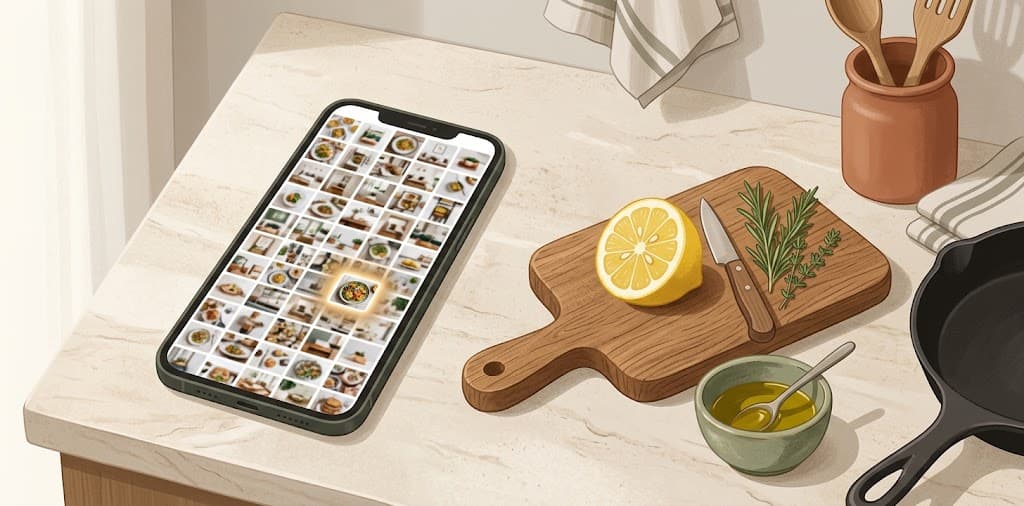
You open Instagram. Saved tab. A flood of thumbnails: outfits, apartments, workout routines, that infographic about sleep, a dog wearing sunglasses. Somewhere in this mosaic is the shrimp orzo reel. You scroll. Three rows. Ten rows. You're looking for a tiny square thumbnail of a cast iron pan among two hundred other tiny square thumbnails. The garlic is browning. You give up and Google "lemon butter shrimp orzo" and get a food blog with a 2,000-word preamble about the author's grandmother.
The recipe you actually wanted is still in your Saved tab. You just can't get to it.
Instagram treats recipes like everything else. That's the problem.
Instagram's Saved tab doesn't know what a recipe is. It doesn't know that the reel you bookmarked contains an ingredient list spoken at 1.5x speed over lo-fi music. It doesn't know that the text flashing on screen for 1.3 seconds says "2 tbsp miso paste." It just knows you tapped the bookmark icon on August 2nd at 11:47pm.
There's no search inside the Saved tab. No filter for "food" or "cooking." No way to type "shrimp" and get every recipe reel you've ever saved. Just a reverse-chronological grid of everything you've ever bookmarked, recipes mixed in with travel plans and furniture ideas and that reel about how to fold a fitted sheet.
The gesture that saves a recipe is one tap. The effort to retrieve it scales linearly with everything else you've ever saved. After six months of active Instagram use, you might have 300+ saves. After a year, 700+. Your recipe collection is buried inside a general-purpose pile with no index.
And the recipe itself isn't even text. The ingredient list is spoken aloud in the video. The technique is demonstrated visually. The measurements flash on screen. None of this is searchable. Instagram indexes the caption, sometimes, but half of recipe reels have captions like "you NEED to try this 😍🔥" which tells you exactly nothing when you're standing in a kitchen six weeks later.
What people actually do (and where it breaks)
Before looking at tools, here's what most people try first. These all work until they don't.
The screenshots-and-notes method
You screenshot the ingredient list when it appears on screen, then save it to a "Recipes" album in your camera roll. Some people go further and type the recipe into Apple Notes or Google Keep.
This works if you do it every time. Most people do it twice, maybe three times, then fall back to one-tap saving because the reel is already gone from their feed by the time they think about it. The gap between "I should screenshot this" and "the reel has already auto-scrolled" is about 1.5 seconds.
The other problem: screenshots don't capture spoken instructions. If the creator says "and the key is to let the garlic go just barely golden before you add the wine" — that tip exists only in the audio. Your screenshot caught the ingredient list but missed the technique.
The Collections method
Instagram lets you save posts into named Collections. You can make a "Recipes" collection and sort things into it at save time.
It's better than nothing. But Collections have no search either. A "Recipes" collection with 80 items is just a smaller version of the same scrolling problem. And the sorting requires an extra step at save time — long-press the bookmark, tap the collection, confirm — which most people skip because the whole point of saving is that it's instant.
The "send it to myself" method
You share the reel to your own WhatsApp chat or text it to yourself. Now it's in a message thread you can scroll through.
This is the most common workaround and the one with the most predictable failure mode. Your self-chat accumulates everything: recipes, parking photos, flight numbers, random links. Within a month, the recipe is buried under sixty other messages. WhatsApp search might find it if you remember exact words from the caption, but it won't search the video content.
We wrote a full piece on why texting yourself stops working and what to do about it.
The "just Google it" fallback
This is what happens when all the above fail. You abandon your saved reel entirely and search for the recipe on Google. Sometimes you find something close enough. Sometimes you find the exact creator's blog post. Sometimes you end up with a completely different recipe and the one you actually wanted stays lost in your Saved tab forever.
It works, technically. But you didn't save the reel to find a random alternative. You saved that specific version — the one with the technique that made the comment section go wild, the one where she used miso paste in a way you'd never seen before. The generic Google result is a different recipe.
The dedicated recipe app approach
A cluster of apps in 2025 and 2026 built specifically for this problem. They extract recipes from Instagram reels and organize them in a searchable format. The main ones:
Peel, FoodiePrep, Deglaze — These watch the reel and extract a structured recipe: ingredient list, step-by-step instructions, cook time. You share a reel to the app via the iOS/Android share sheet, and it appears in your recipe library with everything parsed out.
They're good at what they do. If you want a dedicated recipe manager with grocery list integration, meal planning, and structured step-by-step cooking mode, these apps are built for that. They'll format the recipe nicely, let you scale servings, and cross items off as you cook.
The tradeoff: they only do recipes. That workout reel you also want to save? The travel itinerary someone posted? The product recommendation? Different app. You end up with a recipe app for food content, a bookmark manager for articles, a notes app for everything else, and Instagram's own Saved tab for whatever falls through the cracks.
The other tradeoff: they extract a recipe, not the content. The creator's personality, the specific phrasing they used ("listen, I know this sounds insane but trust me on the anchovy"), the visual technique demonstration — all of that gets stripped down to "1 tin anchovies, drained." The recipe is there. The thing that made you save the reel isn't.
Cookpad is different — it's a full recipe community platform that added Instagram import. It's a good product, but it's a social network for cooking. If you just want to save and find recipes, it's more than you need.
Saving the whole thing, not just the recipe
Here's a different framing of the problem: what if you don't want to extract a recipe from the reel? What if you want to save the reel itself — the actual content, the way the creator explained it — and just be able to find it later by describing what was in it?
The dedicated recipe apps solve "I need the ingredient list." They don't solve "what was that reel where someone made pasta in a cast iron pan and used miso paste and everyone in the comments was losing it?" That second question requires understanding the content, not just parsing it.
This is the gap between extraction and memory. Extraction gives you a structured output. Memory gives you the original back.
How Pell handles recipes (and everything else)
Pell is an Instagram contact. You share a reel to Pell by DM, the same way you'd share it with a friend. Pell watches the video — the audio, the on-screen text, the visual content — and saves all of it.
Later, when you're in the kitchen, you DM Pell: "what was that shrimp orzo recipe?" Pell sends back the original reel with the relevant details. Not a parsed ingredient list. The actual reel you saved, with what Pell understood from the video.
The difference from recipe apps:
- No app to install. Pell lives inside Instagram DMs. If you can share a reel to a friend, you already know how to save it to Pell. No download, no account, no new interface.
- Not limited to recipes. The same gesture that saves a cooking reel saves a workout routine, a travel recommendation, a product review, or a gate code. One place for everything.
- Finds by description, not keywords. You don't need to remember the creator's name or the exact caption. Describe what you're looking for — "that pasta with the miso paste" or "the one-pan chicken thing with the crispy skin" — and Pell matches by meaning.
- Returns the original content. You get the reel back, quoted, with the details Pell extracted from the video. Not a paraphrased summary. The original thing you saved.
And it works on WhatsApp too. If someone texts you a recipe link, or you forward yourself a cooking video, you can send it to Pell on WhatsApp instead. Same memory, both platforms.
Free, no save limit.
A recipe week with Pell, in practice
Monday: You're scrolling Instagram before bed. A reel of someone making a one-pan chicken thigh dish with cherry tomatoes catches your eye. You tap Share, pick Pell from your DM list, send. Pell reacts 👍. You keep scrolling.
Wednesday: A friend sends you a reel on WhatsApp of a 15-minute Dan Dan noodle recipe. You forward it to Pell. 👍.
Thursday: Your mom sends a voice note on WhatsApp describing her dal recipe from memory — "use the yellow ones, not the red, and you have to temper the cumin seeds in ghee first." You forward that to Pell too. 👍.
Saturday morning: You want to cook. You DM Pell: "what recipes did I save this week?" Pell sends back the chicken thigh reel, the Dan Dan noodles, and your mom's dal, each quoted with the relevant details. You pick the chicken thighs, send Pell "what were the ingredients for the one-pan chicken?" and get the list back from the video.
No app switching. No "which app did I save that in?" No scrolling through 200 thumbnails.
What Pell won't replace
If you want meal planning with a weekly calendar, grocery list generation, and serving size scaling, a dedicated recipe app like Peel or Mela does that better. Pell saves and retrieves — it doesn't format recipes into step-by-step cooking mode or generate a shopping list.
If you want to browse recipes by cuisine or mood, Cookpad or Pinterest are built for discovery. Pell only finds things you've already saved.
Pell is for the person who already saves recipes by tapping the bookmark icon and then can never find them. The person whose Saved tab is a graveyard of meals they'll never cook because they can't find the reel.
Frequently asked questions
Can you search Instagram saved reels by recipe or ingredient? Not inside Instagram. The Saved tab has no search, no filters, and no way to sort by content type. Instagram doesn't index the audio, on-screen text, or visual content of your saved reels.
What happens to saved Instagram posts if the creator deletes them? They become inaccessible. Instagram stores a reference to the post, not the content. If the creator deletes the reel or goes private, your bookmark becomes a dead link. This is especially painful for recipe reels — the recipe is gone forever. Tools like Pell that save the content itself are immune to this.
Do recipe apps actually work with Instagram reels? Yes. Apps like Peel, FoodiePrep, and Deglaze can extract structured recipes from Instagram reels via the share sheet. They work well for their specific purpose. The tradeoff is that they only handle recipes, require a separate app download, and strip the content down to ingredients and steps.
Can Pell replace a recipe app? It depends on what you need. Pell saves and finds recipes (along with everything else). It doesn't do meal planning, grocery lists, or serving size calculation. If you need those features, use a dedicated recipe app. If your main problem is "I can't find the recipe reel I saved," Pell solves that.
Does Pell understand what's in a cooking video? Yes. Pell watches the full video — audio, on-screen text, and visual content. So a reel where someone says "two tablespoons of miso paste" while showing the technique becomes searchable by "miso paste" even if the caption never mentions it.
Can I save recipes from TikTok to Pell? Yes, on WhatsApp. Share a TikTok link to Pell on WhatsApp and the content is saved and indexed the same way.